
Licence Holder Portal – Frequently Asked Questions
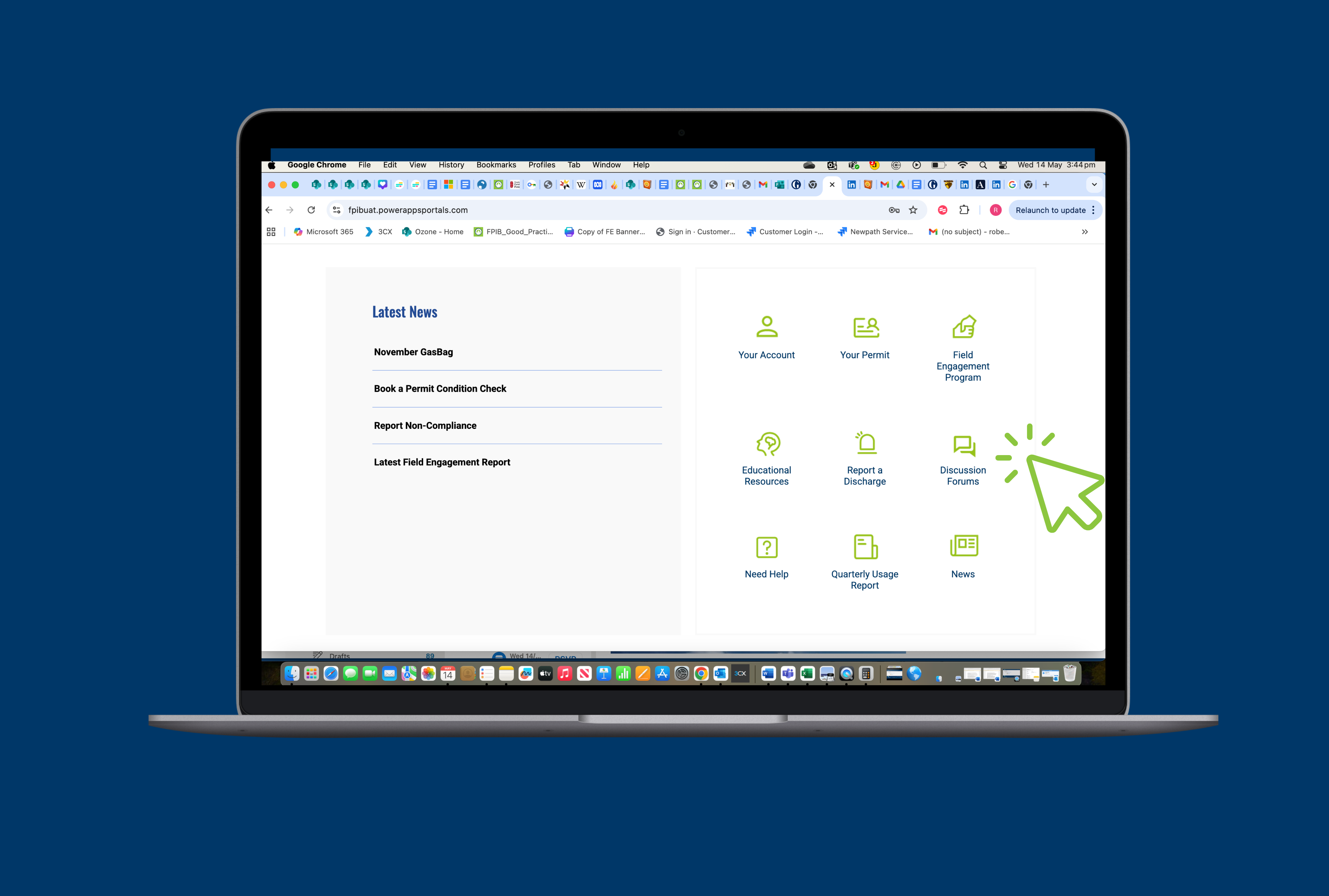
What is the Permit Holder Portal?
The Permit Holder Portal is a secure online system where permit holders can manage their licensing obligations under the Ozone Protection and Synthetic Greenhouse Gas Regulations 1995. It allows for easy access to your permit details, reporting tools, and account management features.
Who can use the Portal?
The Portal is available to all current permit holders by the Fire Protection Industry (ODS & SGG) Board. This includes both individual and business permit holders.
Why should I use the portal instead of emailing my applications, reports, or renewals?
The portal is the quickest, most secure, and reliable way to manage your permit requirements. It ensures your submissions, whether reports, renewals or applications are received instantly, with real-time confirmation and fewer chances of delays or lost documents. You can track your submission history, view the status of applications, and keep all your records in one place, saving you time, without the hassle of digging through your inbox.
The portal also connects you with your industry. It features a regularly updated Industry News section to keep you informed. Plus, the Industry forum offers a space to engage with other permit holders to share experiences, ask questions, and contribute to discussions that shape the future of your industry.
Access and Login
How do I access the Portal?
If you are an active permit holder, you will have been sent a registration link for the Portal inviting you to set up a username and password. If you have an expired registration link, you can request a new invitation by contacting the FPIB for support.
I forgot my login details. What should I do?
Click the “Forgot password?” link on the login page and follow the instructions to reset it. You will need access to the email address linked to your account. If you have forgotten your username or the email address used for initial setup, please contact the FPIB for support.
Using the Portal
What can I do through the Portal?
The Portal allows you to:
- View and update your contact and permit details
- Submit quarterly discharge and activity reports
- Upload supporting documentation
- Renew your permit
- Process payment for your permit by connecting to E-way
- Track the status of your submissions
- Asks questions on an industry forum pag
- Access the latest industry news
- Access educational material
Can I update my personal or business details through the Portal?
Yes. You can update your address, contact information, and certain business details. For changes that affect your permit type or business structure, please contact FPIB directly.
Can I submit discharge reports through the Portal?
Yes. Permit holders are required to submit a report when a discharge occurs. The portal makes this process simple with a short form, guiding you through each step.
EATA and HSP holders can also submit Quarterly Reports via the portal.
Technical Help
What internet browser should I use?
For the best experience, use the latest version of Chrome, Firefox, Edge, or Safari. Mobile access is supported, but desktop is recommended for full functionality.
Can I access the Portal on my phone or tablet?
Yes. The Portal is mobile responsive and accessible on most smartphones and tablets via your preferred web browser. However, the Board recommends downloading the FPIB App for a better mobile permit experience.
I submitted something but didn’t receive confirmation. What should I do?
A: Not all submissions through the portal will activate an email receipt of confirmation. However, you will always be able to log in and check your submission history. For actions that do activate receipt of confirmation, we advise you to check your inbox, including spam and deleted folders. If you’re unsure, contact FPIB for assistance.
Support and Contact
Where can I find guidance on using the portal?
A: The Board has developed a ‘Step-by-step’ video series on how to use the core functions of the portal, you can view this at the bottom of the following page.
Q: Who do I contact if I need help using the Portal?
A: Our team is here to help. You can contact FPIB support at:
[email protected] 1300 731 922 (Mon–Fri, 9am–5pm AEST)
